Every software team has a subscription it stops questioning. For us, DocuSign was one of them. It worked. It was familiar. It also sat outside the way we actually managed accounts, prepared contracts, coordinated signers, and supported clients.
So we asked a more useful question: could we replace DocuSign with a custom electronic signature platform built around our own workflow?
That question became KoSign, our owned platform for preparing, signing, tracking, and auditing client and internal agreements.
KoSign in brief
- KoSign replaces DocuSign for the contract workflows Kumo uses every day.
- It connects electronic signatures to Dataverse, Azure, and the Kumo Client Portal.
- It supports document preparation, role specific field placement, sequential signing, sealed PDF evidence, and audit trails.
- AI assisted product engineering accelerated the build while people retained control of every consequential decision.
The signature was never the hard part
Collecting a signature is only one moment in a much larger process. The real work starts earlier, when someone identifies the right client account, prepares the final documents, chooses the signers, and decides which fields belong to each person. It continues after signing, when the business needs status, evidence, a completed PDF, and a reliable connection back to the client record.
A broad electronic signature platform can support many scenarios. We did not need every scenario. We needed our scenario to work exceptionally well.
The gap showed up as small interruptions that accumulated across every agreement. People moved between systems. Account context had to be recreated. Contract status lived somewhere else. Completed documents had to find their way back into the client experience. Each handoff added friction and made our own process harder to improve.
What we built
KoSign begins where the contract process actually begins. A user chooses whether the agreement is for a client or for an internal purpose. Client agreements connect to an active Dataverse account and can appear in the Client Portal. Internal agreements follow the same controlled experience without forcing client context where it does not belong.
The user adds the contract name, first signer, Kumo countersigner, and final PDF files in package order. KoSign then provides a visual workspace for placing text, date, checkbox, and signature fields directly on the document. Each field is assigned to the correct role, and precise controls support careful placement when a simple click is not enough.
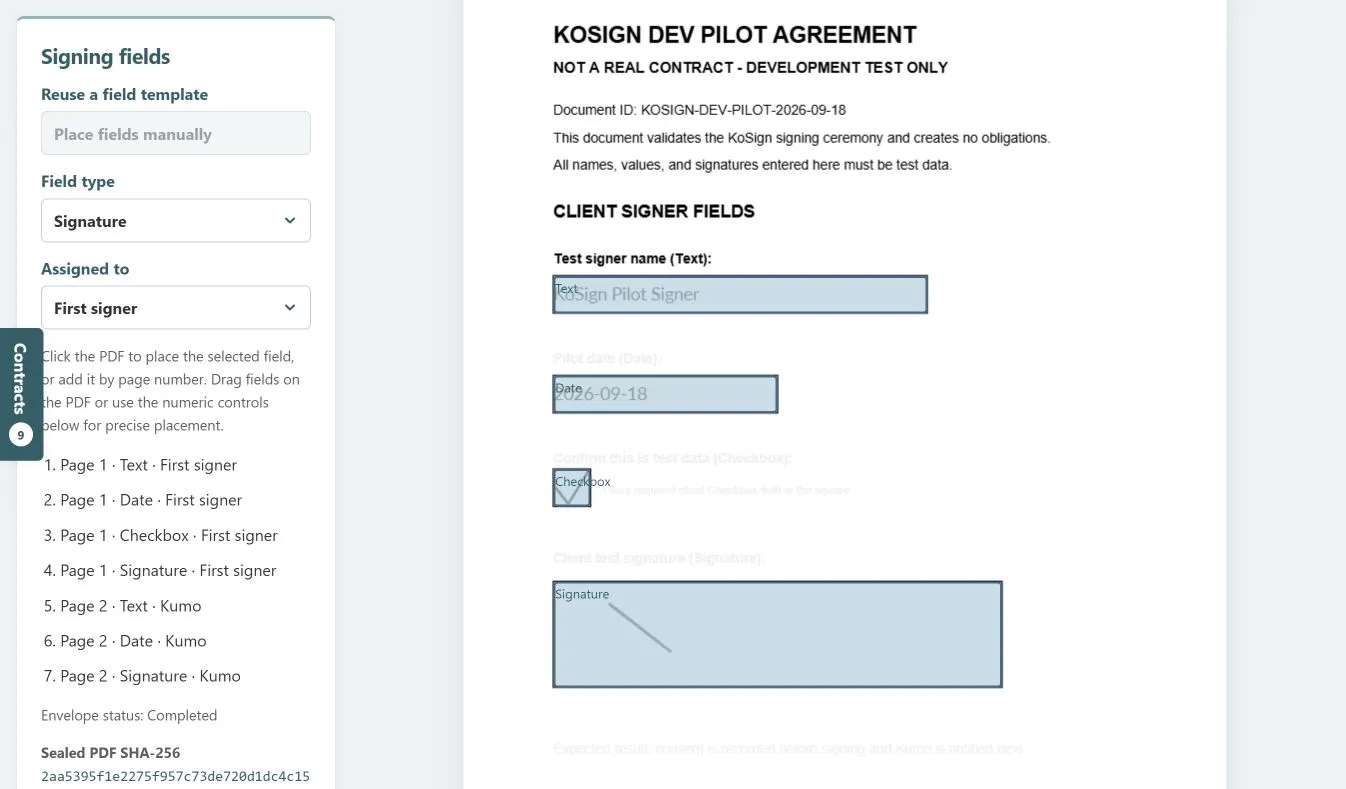
KoSign places role specific fields directly on the PDF and keeps precise controls in the same workspace.
This is intentionally focused software. It does not try to recreate every feature offered by a global signature vendor. It gives our team the capabilities we use, shaped around the information and decisions that already exist in our business. This is the same principle behind our custom apps and automation work: build the focused experience people need and connect it to the systems that already matter.
One contract package, two signing moments
Many of our agreements require two distinct actions. The client signs first. A Kumo countersigner completes the process after the client has acted.
KoSign makes that sequence visible in the document itself. Fields for the first signer and fields for the Kumo countersigner use clear visual treatment, so the author can see who is responsible for each action before anything is sent. The agreement remains one governed package throughout the process.
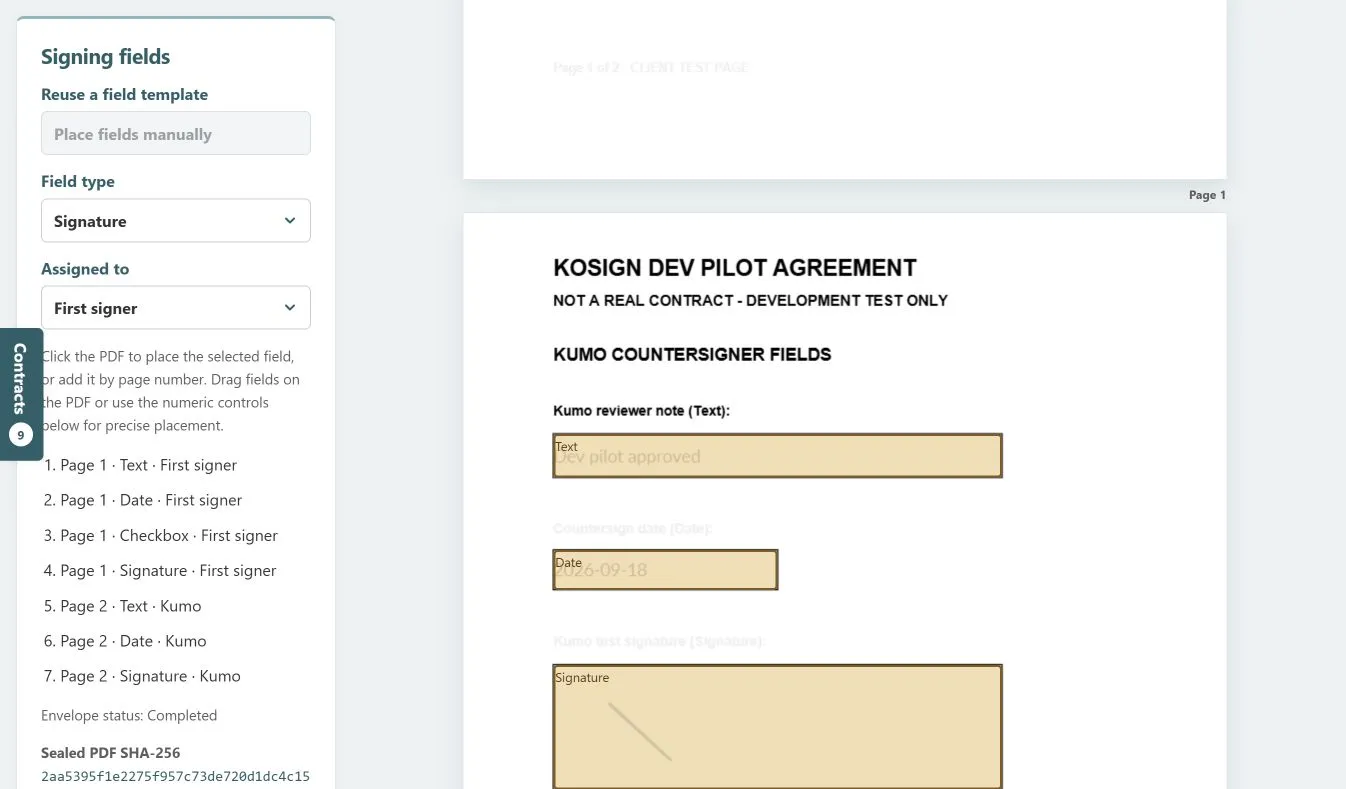
The countersigning view keeps the second signing moment inside the same contract package.
The result is simpler than moving an agreement across separate tools and inboxes. People can understand the state of the contract, the next responsible party, and the completed outcome from one experience.
AI helped us move faster without taking control away
AI was not added to KoSign so it could make sensitive contract decisions. It was used to help us build the product.
AI assisted product engineering shortened the distance between an operating idea and working software. It helped us turn workflow knowledge into interface options, implementation paths, test cases, documentation, and review questions. We could examine edge cases earlier and refine the experience in shorter cycles.
That distinction matters. AI accelerated discovery, design, coding, testing, and documentation. People still choose the account, prepare the contract, assign the signers, place the fields, and approve the result. The software makes the process clearer. It does not hide accountability behind automation.
The best use of AI in this project was not a flashy feature. It was the ability to build a thoughtful internal product faster while preserving deliberate human control at every consequential step. Our AI Ready Foundation follows the same sequence by grounding AI in governed data, clear access, and real operating workflows.
Evidence is part of the product
A signature workflow is not complete when the final signature appears. The business also needs proof of what happened.
KoSign records completed envelope status, maintains a sealed PDF hash, supports a downloadable audit trail, and can synchronize the contract state with the Client Portal. The completed document and its evidence remain part of the same owned workflow.
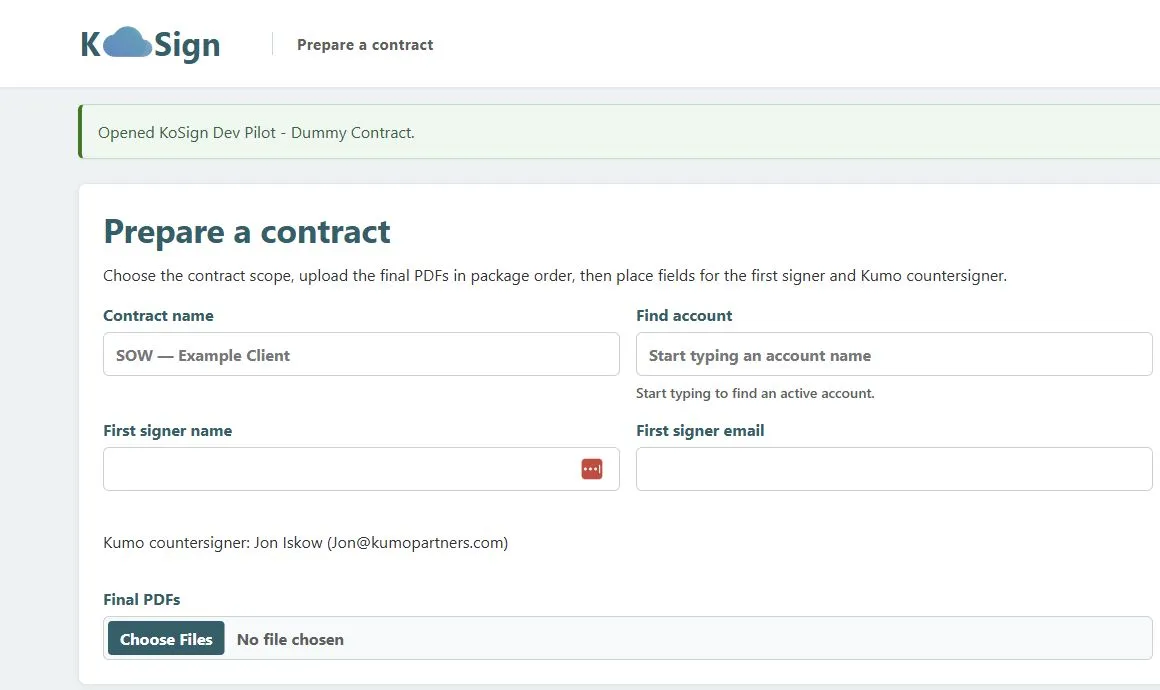
Completed contracts include status, sealed document evidence, audit trail access, and Client Portal synchronization.
This is where ownership becomes especially valuable. Evidence is not an export that must be reconciled later. It is a designed part of the contract lifecycle.
Why ownership mattered
The workflow fits the business. KoSign reflects the exact distinction between client and internal agreements, the signer roles we use, and the client experience we want to provide.
The data stays connected. Dataverse account context and Client Portal visibility are part of the product model, not integrations added after the fact.
The roadmap belongs to us. When our process changes, we can change KoSign. We do not have to wait for a vendor roadmap or accept complexity designed for customers with different needs.
The economics become understandable. We replaced a recurring SaaS dependency with a focused capability on infrastructure and data services that already support our business. The value is not only lower dependency. It is the ability to decide what deserves investment next.
What we learned
-
Replace a capability, not a catalog. A successful SaaS replacement does not need to copy every feature. It needs to solve the real workflow completely.
-
Keep important decisions explicit. Account selection, signer assignment, field placement, and approval should remain visible and intentional.
-
Design the evidence path early. Status, completed documents, hashes, and audit records are core product requirements, not administrative extras.
-
Use AI as a force multiplier. AI can compress the build cycle and improve the quality of review without becoming the authority for business decisions.
The bigger lesson
KoSign is an electronic signature platform, but the broader lesson applies far beyond contracts.
Organizations often accept the shape of a SaaS product as the shape of their process. Sometimes that trade is worth it. Sometimes the business is paying for breadth while giving up ownership of a workflow that is both focused and strategically important. That is where a thoughtful platform consolidation strategy can turn recurring subscriptions and disconnected data into capabilities the organization owns.
AI changes the cost and speed of building focused software. It makes a new class of decisions possible. A team can now ask whether a recurring vendor dependency should remain a subscription, or whether it should become an owned capability connected directly to the data, people, and experiences that create value.
For us, electronic signature was ready to become an owned capability. KoSign is the result. You can see more examples of this approach across our work.
Frequently asked questions about replacing DocuSign
What is KoSign?
KoSign is Kumo Partners’ custom electronic signature platform. It supports client and internal agreements, PDF field placement, sequential signing, countersigning, contract status, sealed PDF evidence, audit trails, and Client Portal synchronization.
Why did Kumo replace DocuSign?
Kumo replaced DocuSign because the surrounding contract workflow mattered as much as the signature. Owning the platform let us connect account data, signer roles, documents, evidence, and client visibility in one experience while reducing dependence on a recurring SaaS product.
How did AI help build KoSign?
AI assisted discovery, interface exploration, implementation, testing, documentation, and review. It accelerated the product engineering cycle. People remained responsible for account selection, contract preparation, signer assignment, field placement, approval, and release decisions.
Can every company replace DocuSign with custom software?
Not always. The strongest candidates have a focused and repeatable signing workflow, clear integration needs, meaningful recurring costs, and an existing platform foundation that can support identity, data, security, and auditability. The goal is not to copy a vendor catalog. The goal is to own the workflow that creates value.
Could one of your SaaS subscriptions become an owned capability?
Start with one workflow that is expensive, fragmented, or poorly matched to the way your team works. We will help you map the process, identify the data and controls it needs, and compare the economics of keeping the subscription with building a focused capability on the Microsoft platform.
- Bring us one recurring SaaS cost or broken workflow.
- We will identify the business value, integration needs, risks, and fastest credible starting point.
- You leave with a practical recommendation for what to keep, what to connect, and what may be worth owning.
Ready to explore the opportunity? Book a complimentary one hour Envisioning Session.